
ACCESSIBILITY IN MALYS
It’s important to us at Summerfall Studios that Malys is accessible to many people, and part of that is making sure you know in advance what you may encounter when you play, and the options available to you as a player.
We will always do our our best to improve accessibility where possible, but we recognise we haven’t covered everything and some key accessibility features are not implemented. We hope this information helps you make an informed decision about whether Malys is for you.
In Game Options

There are a number of accessibility options available to players in game.
Disable Exorcism Motion: Players can disable exorcism motion at any time. This will reduce the visual effects in the background of the exorcisms to minimize potential motion sickness impact.
Large Storylet Text/Large Tooltips/Large Card Text: Players can turn on Large Storylet Text, Large Tooltips, and Large Card Text at any time. Storylets and Card text will change from the next storylet seen, or next time a card is drawn. All of these options increase the sizing for text in game in these areas to improve readability for players.
Cinematic Subtitles: Cinematic Subtitles can be turned off, on at a regular size, or on at a large size. This will display subtitles during cinematic scenes.
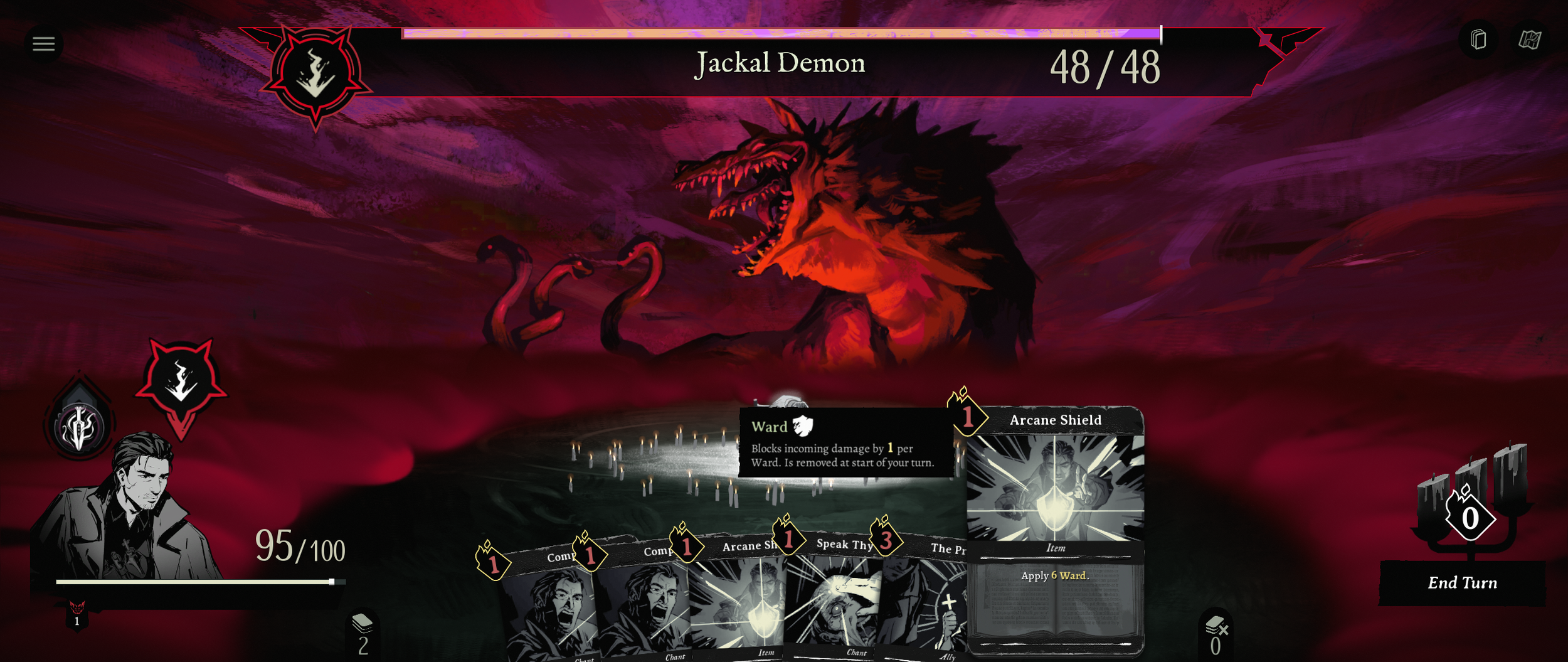
Default Card Text Size

Default Storylet Text Size
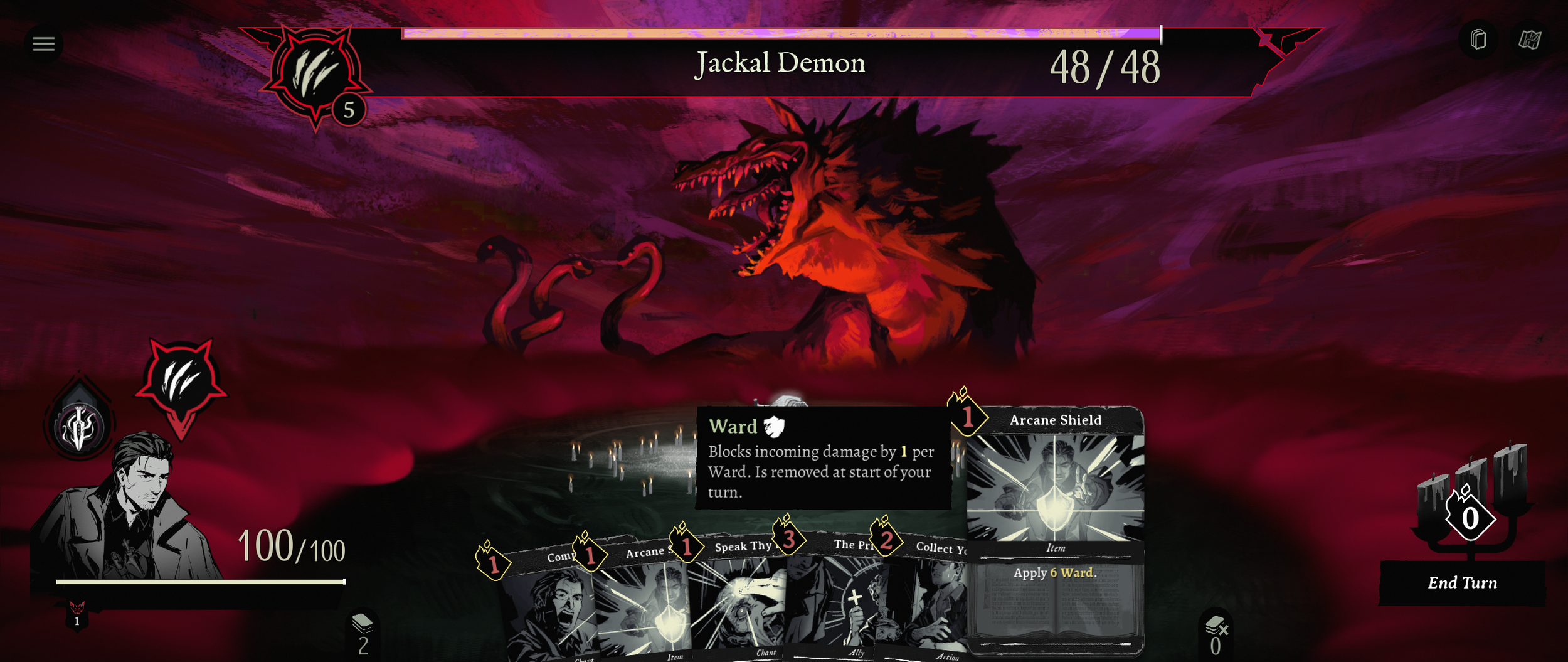
Increased Card Text Size
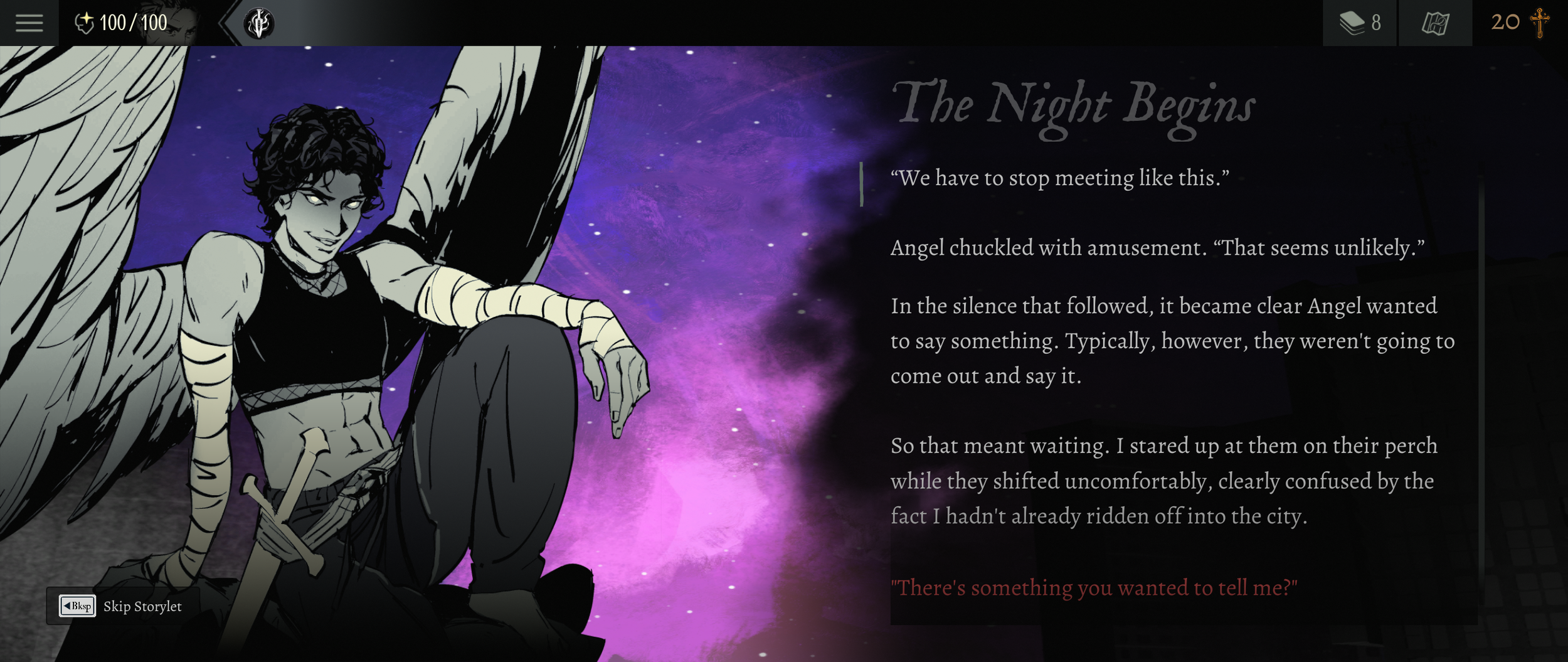
Larger Storylet Text Size

There are numerous in game graphic settings, including a variety of display resolutions.

You can individually adjust the volume levels for music, SFX, VO, and the overall volume.
How Cards Work
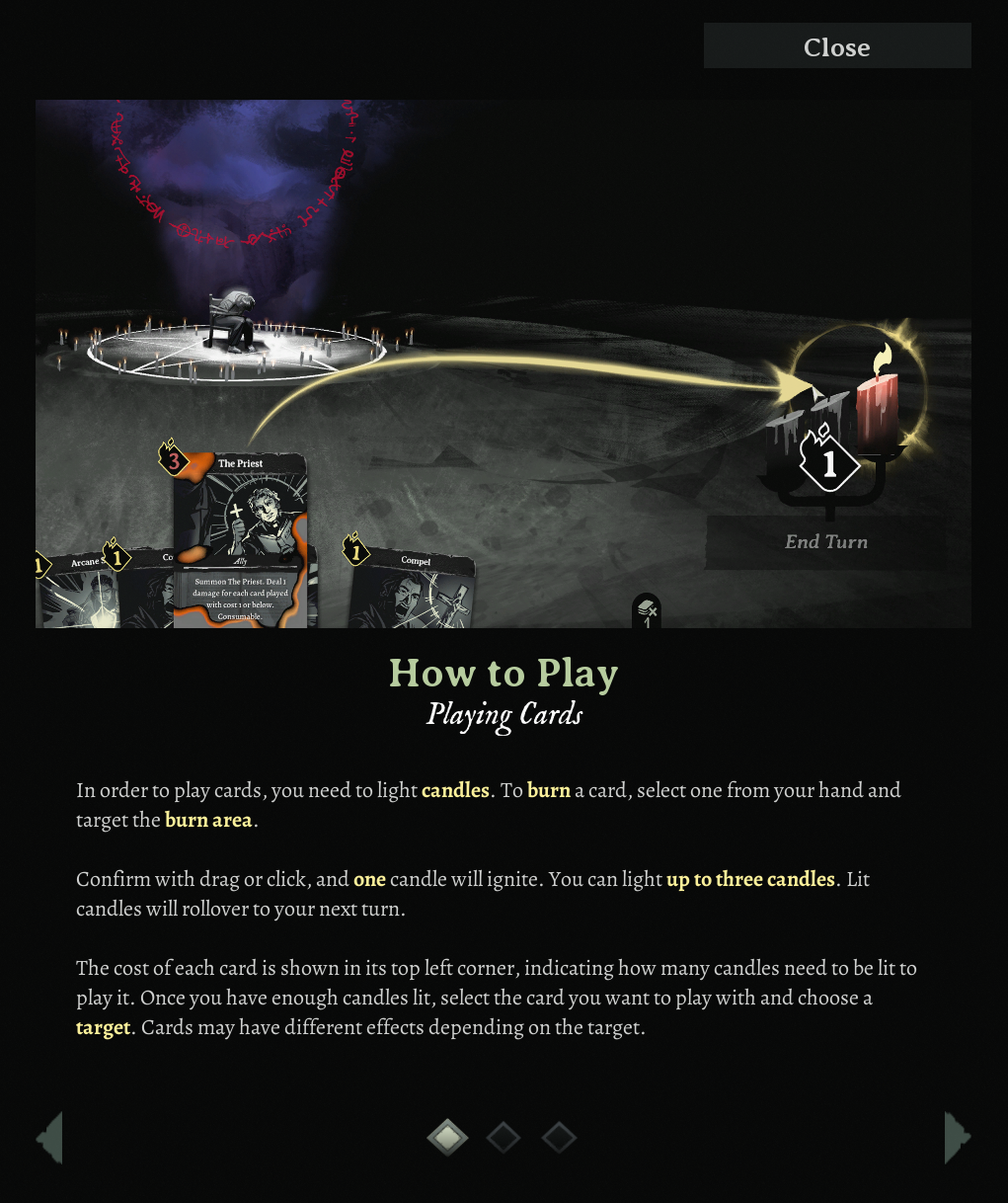
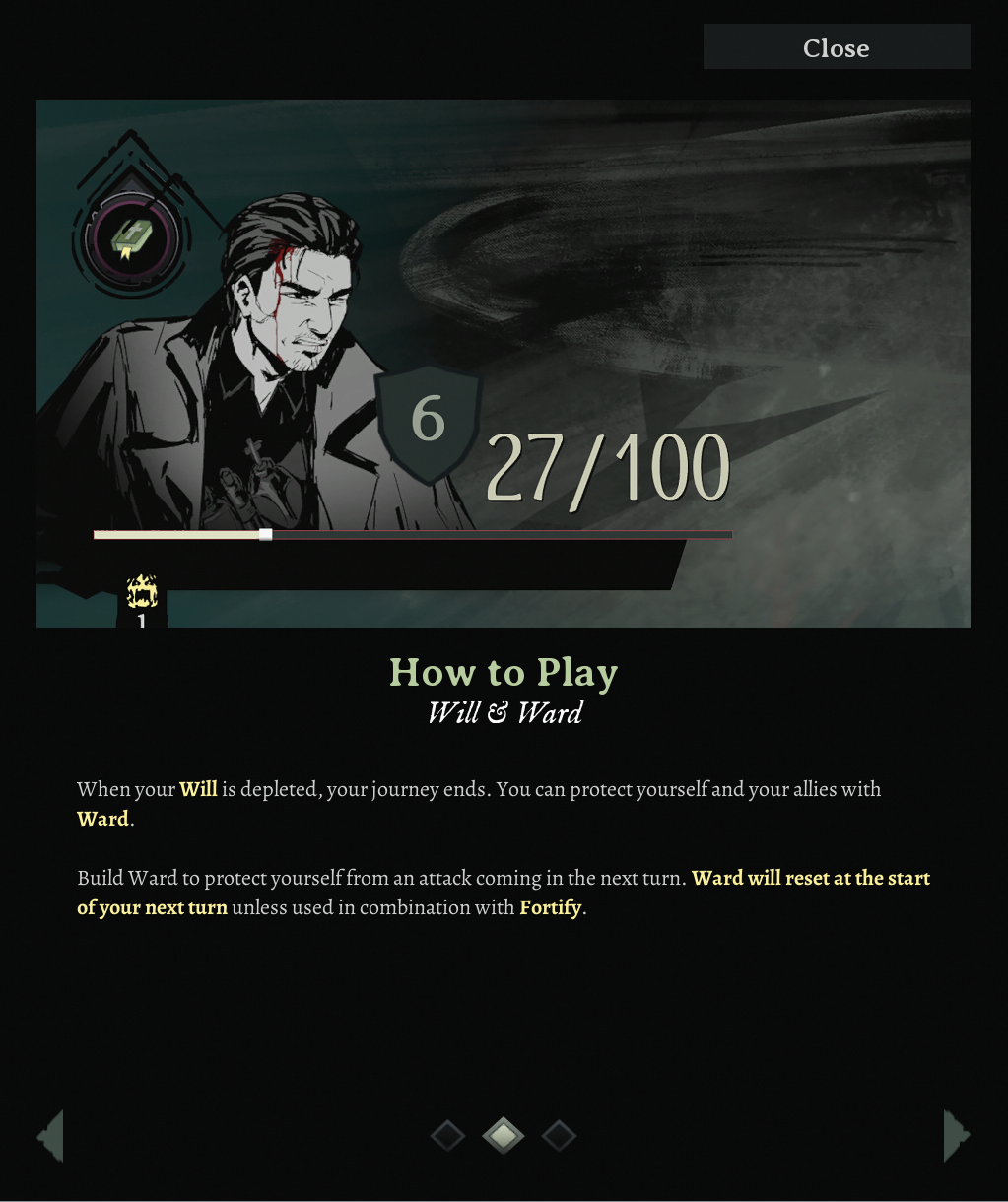
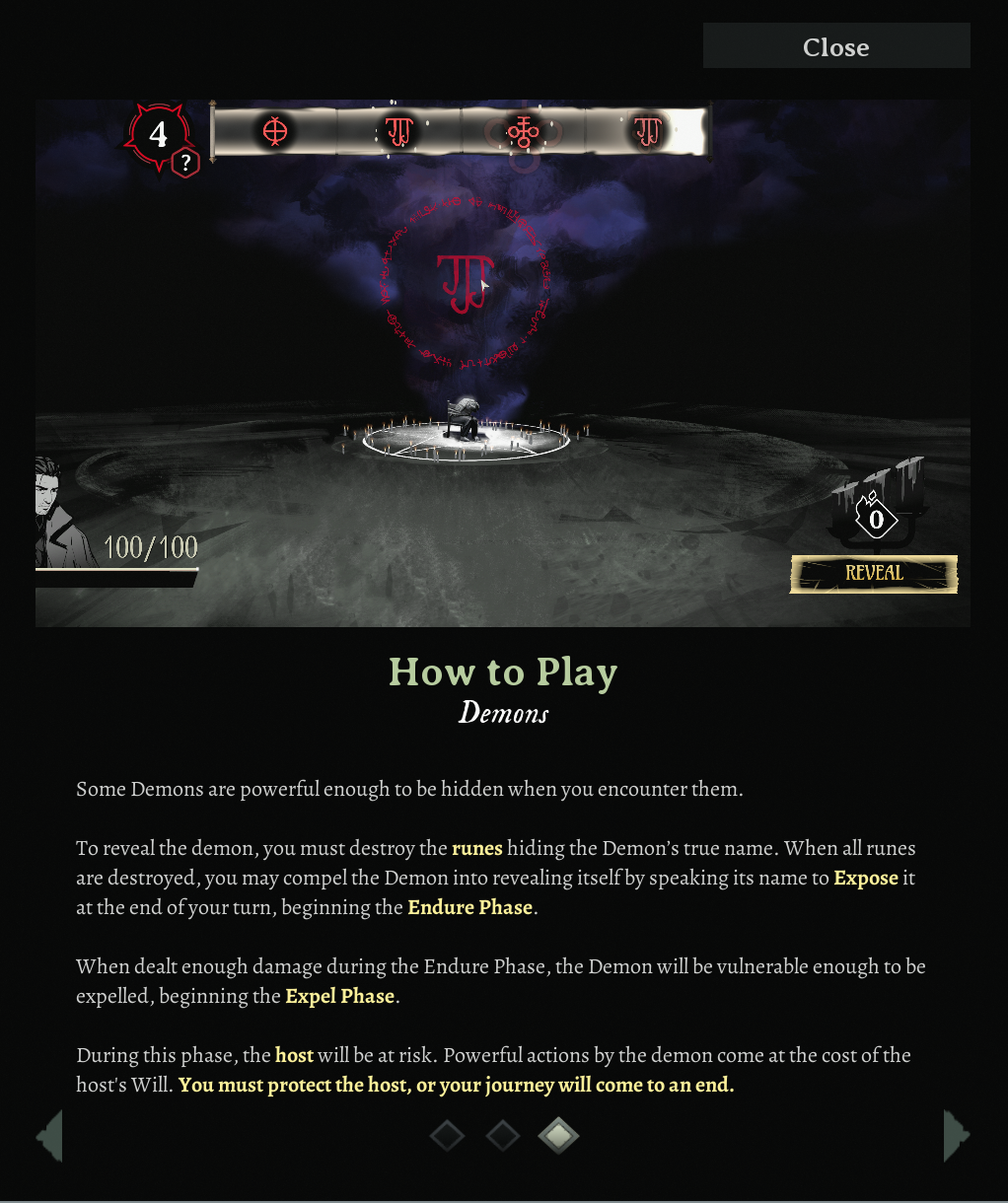
We know not everyone will have played a roguelite deckbuilder before, so we’ve included the current in-game breakdown of how to play.
Further Context
Malys does not require long-presses or any button mashing in order to play.
Malys can be started with ease, with minimal menu interaction to begin.
You can skip lines using the ‘Skip’ option when in game to quickly move through content in dialogue.
No information essential to gameplay in Malys is conveyed only by sound, or only by colour.
We currently have only one font for Malys, and there is no setting to change contrast. We use a Sans-Serif font for improved readability.
Settings are preserved, but are not save slot or profile specific - meaning settings are shared between users and save slots on the same device.
There is no time limit to your actions in Malys.
Subtitles are available during cinematics, enabled in the Accessibility part of the Settings menu. The small amount of flavor voiceover outside of storylets are vocalized feedback in exorcisms which are also visually realised, but not subtitled.
VFX Considerations
There are some visual effects (VFX) in Malys that cannot be turned off, but ongoing motion in exorcisms can be turned off via the Accessibility part of the Settings menu.
A great deal of care has been taken to ensure that there are no repeated flashes, minimal sizing of flashes on screen, and other recommended measures to help players be as safe as possible.
Controls
Unfortunately Malys does not feature controller/gamepad support, controls are no remappable, and cannot be played solely by keyboard - it requires a mouse to play. We hope to add these features in the future if we are able.
Content Warnings
There are a number of themes in Malys that may be confronting for players. Malys is a horror-themed game and features dark themes, written depictions of violence and disturbing imagery. For a more specific list of what appears please click below. We share these themes ahead of time to ensure you can make informed choices.
-
Characters with demonic visuals, themes, intent, and narrative context feature heavily in Malys.
-
Occasionally, there is the use of crude language and minor profanity.
-
Written descriptions of characters drinking alcohol feature in certain scenes.
-
Mentions of death, dying, or deceased individuals, as well as ghosts.
-
There is content regarding smoking in game.
-
Text and visual depictions of children who are possessed or under threat of possession.
-
Written descriptions that are horror themed, harrowing, or could be unsettling to the reader.
-
Content related to suicide is present in the game.
If your experience playing Malys upsets you or troubles you at any point, we recommend you stop playing accordingly. No game is worth your mental health.
If you need support or aftercare for this game or any other, CheckPoint, a mental health resource for gamers, has compiled a list of global support links you can access here.
DISCLAIMER:
We do not and can not provide a complete list of organisations or health professionals who can offer help or information for those in need. The above link is for informational purposes only and is not a substitute for professional medical advice or treatment.
Summerfall Studios does not endorse any of the organisations or health professionals listed herein.